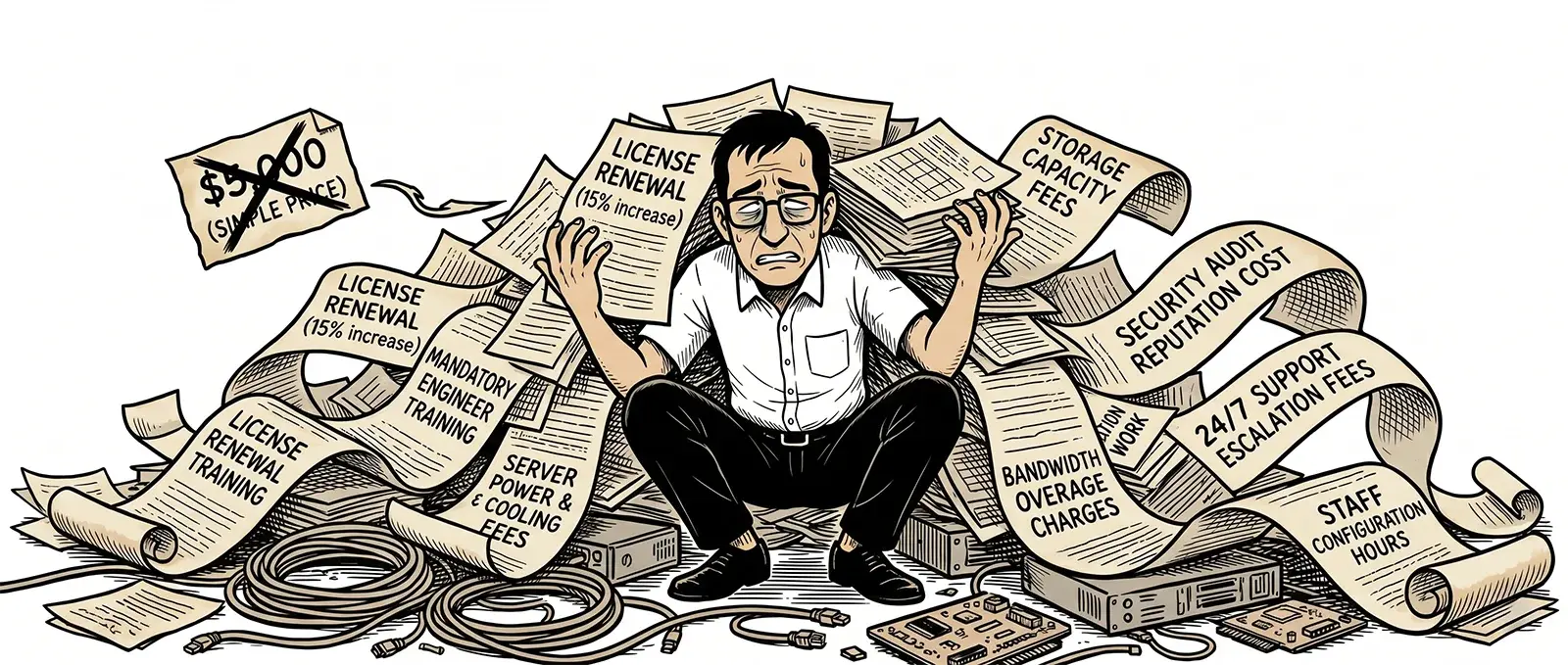
Key Takeaways
- The license fee on a monitoring platform is rarely the highest cost over a three-year window.
- Setup time, integration work, and onboarding diverted engineering capacity that most budgets never account for.
- Slow troubleshooting and poor alert design are operational costs that compound every month.
- Hardware, OS licenses, and maintenance add significant cost to on-premises platforms specifically.
- Support tiers and vendor responsiveness become very expensive the first time you actually need help at 2 am.
When an IT team or MSP evaluates network monitoring tools, the conversation usually starts with price. How much per month? How many devices? What’s in the enterprise tier?
Those are reasonable questions. They’re also the wrong ones to lead with.
The sticker price on a monitoring platform is the easiest number to find and often the least meaningful one. The real cost of a monitoring tool is what it costs to run over two or three years, factoring in everything the pricing page does not mention: the setup time, the integrations that didn’t come standard, the alerts nobody ever tuned, the support ticket that sat unanswered for two days while something was actively broken, and the engineer hours spent troubleshooting a dashboard instead of a network.
Total cost of ownership is the number that matters. Here’s how to calculate it honestly.
The TCO Categories Most Organizations Miss
| Cost Category | Usually Budgeted? | Notes |
|---|---|---|
| License fee | Yes | The number on the pricing page |
| Hardware (on-prem only) | Rarely | Server, OS licenses, database, storage |
| Setup and onboarding time | Rarely | Engineering hours diverted during deployment |
| Integration work | Sometimes | PSA, ticketing, Slack, PagerDuty, API |
| Alert tuning and maintenance | Rarely | Ongoing cost of managing noise vs. signal |
| Troubleshooting overhead | Never | Time lost to slow or unclear data |
| Support tier fees | Sometimes | What “real” support actually costs extra |
| Vendor responsiveness | Never | The cost of waiting when something is broken |
Hardware: The Cost That Keeps Coming Back
For on-premises monitoring tools, hardware is where TCO calculations usually go sideways first.
The server is just the beginning. Depending on the platform, you also need OS licenses, database licenses, and storage capacity that scales with the amount of monitoring data you are generating. When the hardware reaches end of life, you plan and execute a replacement. When it fails unexpectedly, you deal with an unplanned outage of your monitoring system itself, which is a bad time to discover your monitoring tool is down.
We covered this in detail in a previous post: On-Premises Network Monitoring Is a Hidden Tax on Your Engineers. The short version is that on-prem monitoring infrastructure generates a recurring operational cost that rarely shows up in the original budget and tends to grow over time as the environment scales.
Cloud-based platforms eliminate this category of cost entirely. No hardware to buy, no OS to patch, no storage to manage. The infrastructure is the vendor’s problem, not yours.
Setup Time: The Cost Nobody Puts in the Budget
Every monitoring platform requires setup time. The difference between platforms is how much, and who absorbs it.
On-premises tools often involve provisioning infrastructure before the monitoring software even gets installed. After installation, there’s device discovery, configuration, threshold-setting, dashboard building, and user training. It’s not unusual for a serious on-prem deployment to consume several weeks of engineering time before it provides meaningful visibility.
SaaS platforms are generally faster to stand up, but setup time is still real. The question to ask during any evaluation is: what does full deployment actually look like, and how many engineering hours does it require? That number has a dollar value. It belongs in the TCO comparison.
“Every week your monitoring platform takes to deploy is a week your team is flying blind. That is a cost. It just does not show up on an invoice.”
Lumics was built to get customers to meaningful visibility fast. Device discovery, dashboards, and alert configuration are designed to come together in hours, not weeks, because the people who built it had lived through enough long monitoring deployments to know that setup time is not a minor inconvenience. It is a real operational cost.
Integrations: What “Standard” Actually Means
Most monitoring platforms advertise integrations with popular tools: Slack, PagerDuty, email, ticketing systems, and PSA platforms. What the marketing page often omits is which integrations are included, which require a higher pricing tier, and which require professional services hours to configure.
For an MSP, PSA integration is not optional. It is how alerts turn into tickets, and how tickets get billed. If getting that integration working requires a paid onboarding engagement or an upgrade to an enterprise tier, that cost belongs in the TCO calculation from day one.
The questions worth asking before you commit to a platform:
- Which integrations are available at the base tier, and which require an upgrade?
- Are integrations native to the platform or dependent on third-party middleware like Zapier?
- Is there a documented API for custom integrations, and is it available on all tiers?
- What does the vendor charge, if anything, to help configure integrations?
A platform with strong native integrations at a reasonable tier saves both money and the engineering time required to build and maintain workarounds.
Troubleshooting Speed: The Operational Cost Nobody Measures
This is the TCO category that almost nobody builds into their evaluation, and it’s often the largest one.
When something goes wrong on a network, the cost isn’t just the downtime. It’s the engineering time required to find the root cause. A monitoring platform that makes that process slow adds cost to every single incident, every single day, for as long as you use it.
Consider what slow troubleshooting actually looks like. An alert fires. An engineer opens the monitoring tool. The relevant data is three dashboards away. The historical graph for the affected device is loading. The data is averaged, so the spike that caused the problem is smoothed out. The engineer switches to a different view, then another. Fifteen minutes pass before the picture becomes clear.
Now multiply that by the number of incidents your team handles in a month. For an MSP managing dozens of client environments, that friction compounds into a significant operational cost. For an in-house IT team, it means longer outages and more business disruption per incident.
A platform designed for fast troubleshooting puts critical information within three clicks, shows min and max data rather than averaged data so spikes are visible rather than smoothed away, and syncs time ranges across all relevant graphs and widgets simultaneously. The difference between a tool that resolves an incident in five minutes and one that takes twenty is not a minor UX preference. Over a year, it’s a meaningful number.
Intelligent Alerts: When Noise Becomes Its Own Cost Center
Alerts are why monitoring exists. They’re also, when poorly configured, one of the most expensive parts of running a monitoring platform.
Alert fatigue is what happens when a monitoring system generates more noise than signal. Engineers start ignoring alerts because too many of them are false positives. Scheduled maintenance windows fire alerts. A known downstream dependency going offline generates a cascade of alerts for every device behind it. Over time, the team develops a selective relationship with the alerting system. They check it less carefully. And then a real problem comes in, and it gets the same cursory glance as the noise that preceded it.
The cost is not just the time spent triaging false positives. It’s the real incidents that get caught late or missed entirely because the alerting system trained the team to be skeptical of it.
Intelligent alerting accounts for this. Maintenance windows suppress alerts during planned downtime. Device dependencies prevent an upstream failure from generating fifty downstream alerts for one root cause. Threshold configuration prevents minor fluctuations from triggering the same alerts as actual problems. These are not advanced features. They are the baseline of what intelligent alerting should look like. But not every platform does them well, and the operational cost of poor alerting is paid every day.
Support Tiers: What Help Actually Costs
Most monitoring vendors advertise support as a feature. What they mean, when you read the fine print, is that some level of support is included. What they charge extra for is the support you’ll actually want when something is broken.
The pattern is familiar across the industry. Email-based support with multi-day response times is included. Phone support, faster SLA, or access to a dedicated engineer costs extra, sometimes significantly extra. For small and mid-sized MSPs or IT teams, the cost of premium support can represent a meaningful percentage of the platform’s annual cost.
This creates a real problem at the worst possible moment. When a monitoring platform has an issue at 11 pm on a Saturday, a team on the base support tier is looking at a ticket queue, not a phone number. That situation has a cost that doesn’t appear anywhere in the pricing comparison.
Before committing to a monitoring platform, get a clear answer regarding: what support is included at your tier, what the actual response time SLA is, and what it costs to get faster access when you need it. Factor those numbers into the comparison from the start.
Vendor Responsiveness: The Relationship You Can’t Evaluate on a Pricing Page
This is the hardest TCO factor to quantify before you buy, and often the most important one after you do.
Software has bugs. Features get requested. Configurations go wrong in unexpected ways. What happens next depends entirely on whether the vendor you chose treats you like a customer or like a ticket number.
A vendor that responds to a real problem with a real person, in a reasonable timeframe, saves engineering hours and accelerates resolution. A vendor that routes every issue through a tiered support structure and takes days to acknowledge a known bug costs you time on every incident, for the entire length of the relationship.
The best signals here come from customers, not from the vendor’s website. Talk to people who’ve used the platform for at least a year. Ask them about the last time something went wrong. What happened? How long did it take to get a response? Was the person they talked to able to actually help, or did they just read from a script?
Lumics is a smaller company. That’s a deliberate choice. It means the people you talk to when something goes wrong are the people who built and run the platform. Response times are fast because the team is accountable directly to customers, not insulated behind a support tier structure.
Doing the Real Math
A useful TCO comparison for any monitoring platform looks something like this:
- License fee over 36 months, including projected growth in devices or users.
- Hardware and infrastructure cost, if applicable, including anticipated refresh cycles.
- Setup and onboarding time, converted to an hourly engineering cost.
- Integration work, including any tier upgrades required to access needed integrations.
- Support tier cost, at the level you would actually want during an incident.
- Estimated troubleshooting overhead per incident, multiplied by incident frequency.
Most organizations that run this comparison honestly find that the lowest-priced platform on the pricing page is not the lowest-cost platform in practice. The gap between sticker price and actual TCO can be substantial, and it tends to grow over time as the hidden costs compound.
The Right Question
The right question when evaluating monitoring tools is not “what does this cost per month?” It is “what does this cost per month, including everything it takes to run it well, get help when needed, and actually use it to resolve problems faster?”
That question is harder to answer from a pricing page. It requires honest conversations with vendors, references from existing customers, and a budget model that accounts for the full picture. But it is the question that leads to a decision you won’t regret two years into the contract.
Want to see what transparent pricing looks like?
No hardware. No setup fees. No tiered support gotchas. Just a platform built to actually get used.
Frequently Asked Questions
What is the total cost of ownership of network monitoring software?
TCO includes the license fee plus any hardware and infrastructure costs for on-premises tools, setup and onboarding time, integration work with PSA and ticketing systems, ongoing maintenance and patching, support tier fees for meaningful response times, and the operational cost of slow troubleshooting or poorly configured alerting. Most organizations underestimate TCO significantly by focusing only on the license fee.
How does slow troubleshooting increase the cost of a monitoring tool?
When a monitoring platform makes it difficult to isolate the root cause of an issue, engineers spend more time on every incident. For MSPs, this increases labor cost per incident and raises the risk of missing SLAs. For in-house IT teams, it means longer outages and more business disruption. A tool that puts critical data within three clicks, shows accurate min/max data rather than averaged graphs, and syncs timeframes across all views can meaningfully reduce mean time to resolution across hundreds of incidents per year.
What is alert fatigue, and why does it matter for monitoring costs?
Alert fatigue occurs when a monitoring system generates so many alerts that engineers begin treating them as background noise. The cost comes in two forms: time spent triaging false positives, and real problems that get caught late or missed entirely because the team has tuned out. A platform with intelligent alerting that accounts for maintenance windows, device dependencies, and root-cause suppression reduces both costs.
Why do monitoring vendors charge extra for support, and what should I expect?
Many monitoring vendors structure support as a tiered add-on where basic email support is included, but faster response times, phone access, or a dedicated contact cost extra. This means the advertised price does not reflect the cost of getting timely help during an incident. Before committing to a platform, confirm what support is included at your tier, what the actual response SLA is, and what premium support costs. Factor those numbers into any TCO comparison.
What integrations should a network monitoring platform include without extra cost?
At minimum, alert delivery to Slack, email, and SMS should be standard. PagerDuty integration is important for on-call workflows. For MSPs, native or well-supported PSA integration for automated ticketing is close to a requirement. A documented API for custom workflows should be available without an enterprise tier upgrade. Platforms that place standard integrations behind paywalls add hidden cost to the TCO from day one.
How long should it take to set up a network monitoring platform?
On-premises tools often require several days to weeks when accounting for hardware provisioning, software installation, and initial configuration. Cloud-based SaaS platforms are generally designed to onboard faster, with initial device discovery and dashboards available within hours. Extended setup time has a real dollar value in diverted engineering capacity and delayed network visibility. It belongs in any TCO comparison.