Key Takeaways
- On-prem monitoring has a visible license cost and a much higher invisible cost in engineering time.
- Maintaining monitoring hardware pulls engineers away from actual network work.
- Cloud-based SaaS monitoring eliminates the infrastructure-for-your-infrastructure problem.
- The right monitoring tool should answer two questions fast: what is happening right now, and how is it affecting the business.
Nobody budgets for the real cost of on-premises network monitoring.
When a procurement team evaluates options, they see the license fee, maybe a hardware estimate, and a line item for setup. That’s the number that gets approved. What doesn’t show up in that spreadsheet is everything that comes after: the patching cycles, the server replacements, the Friday afternoon your best network engineer spent bringing a monitoring database back online instead of monitoring the actual network.
That time is not free. It’s just invisible.
What “On-Premises” Actually Means for Your Team
On-premises monitoring requires a dedicated server. That server runs an operating system that needs patching. It uses a database that needs maintenance. It stores data locally, which means someone is managing storage capacity. When the monitoring tool has a version update, someone is testing, staging, and deploying it. When the hardware ages, someone is planning and executing a replacement.
None of this is the job your engineers were hired to do.
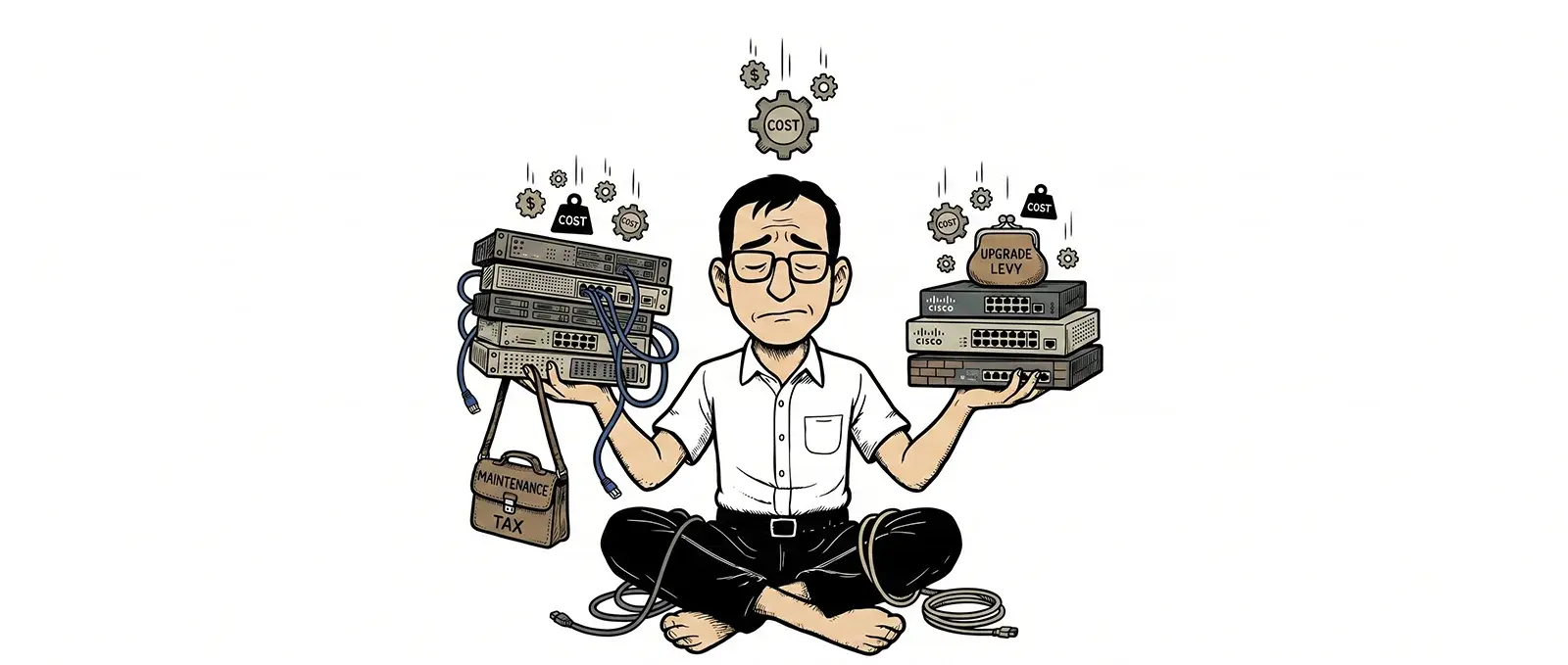
Your network engineers were hired to keep your network healthy, identify performance problems before they affect users, and respond quickly when something goes wrong. On-premises monitoring systematically redirects a portion of its time toward keeping the monitoring tool itself alive. It’s infrastructure for your infrastructure. A tax on the work you actually need done.
The Costs You Did Not Put in the Budget
Here’s a more honest accounting of what on-prem monitoring costs over three years:
Hardware
A dedicated monitoring server, or the allocation of existing server capacity. Hardware has a lifecycle. In a three-to five-year window, you’re likely facing at least one refresh cycle. If your monitoring environment grows to support more devices, you may need to scale hardware before that.
Operating System and Database Licenses
Depending on the platform, you may be paying separately for Windows Server licenses, SQL Server licenses, or both. These are not always included in the monitoring tool’s price and are easy to undercount.
Patching and Updates
OS-level patches, database updates, and monitoring software upgrades do not apply themselves. Each one requires someone to test in a staging environment, plan a maintenance window, execute the update, and verify that nothing broke. Multiply that by twelve months, and you have a meaningful portion of someone’s annual capacity.
Storage Management
Monitoring generates data continuously, such as bandwidth metrics, device health, event logs, and historical graphs. On-premises, that data lives on hardware you own. Managing retention, archiving, and capacity growth is an ongoing operational task. When storage fills unexpectedly, it’s not a background problem. It’s a page.
Engineering Hours
This is the highest cost and the one that most organizations never measure. Every hour an engineer spends troubleshooting the monitoring tool rather than the network is an hour not spent on the work that drives your SLAs. For MSPs, this is a direct margin problem. For in-house IT teams, it’s headcount capacity that quietly disappears.
“The engineers you pay to monitor your network should not also be responsible for monitoring your monitoring tool.”
Why This Problem Gets Ignored
The hidden costs of on-prem monitoring are easy to miss for a few reasons.
First, they’re distributed across time. The license fee is a single line item. The ongoing costs show up a little at a time, buried in support tickets, sprint backlogs, and quarterly maintenance cycles. They never accumulate in one visible place.
Second, engineers absorb them without complaint. These tasks are just part of the job. Nobody files a ticket that says “spent four hours on monitoring database maintenance today.” The cost is invisible because the people carrying it are professionals who handle it without escalating.
Third, switching costs feel real in a way that hidden costs do not. Evaluating and migrating to a new platform is visible work that requires budget and scheduling. The accumulated cost of staying on the existing platform is not. So organizations keep paying the tax.
What the Cloud-Based Alternative Actually Changes
Moving to a SaaS monitoring platform doesn’t just eliminate the server hardware. It changes the entire operational model.
There is no hardware to purchase, maintain, or replace. The platform handles OS updates, database maintenance, and storage scaling without any action from your team. Version updates happen automatically. Access is instant from anywhere without requiring a VPN to reach the on-prem environment. Historical data is retained and accessible without managing storage capacity.
Lumics was built specifically to eliminate this problem. It started as a tool built by an MSP that had grown tired of babysitting on-premises monitoring infrastructure. The engineers who built it understood exactly what that overhead cost in time and margin, because they were paying it themselves.
The result is a cloud-based network and infrastructure monitoring platform now used in 29 countries across six continents, built around a simple premise: the tool should work for you, not the other way around.
What to Look for When You Evaluate SaaS Monitoring
Not all cloud-based monitoring platforms eliminate the operational burden equally. When evaluating options, ask these questions:
- Is it fully cloud-hosted with no on-premises components required? Some platforms are partially cloud-based but still require local pollers, agents, or appliances that introduce maintenance obligations.
- How is historical data retained? Some SaaS platforms limit data retention or charge significantly for historical access. Your data should be available as long as you’re a customer, not archived behind a paywall.
- How does the alerting system handle noise? Alert fatigue is the other tax on engineering time. A well-designed platform lets you configure alerts around maintenance windows, device dependencies, and root-cause suppression so your team isn’t drowning in false positives.
- Does it show you accurate data or averaged data? This matters more than it sounds. Many monitoring platforms use averaging to make graphs render quickly. Averaging smooths out spikes. Spikes are where problems live. If your tool is averaging your data, it’s hiding the anomalies you most need to see.
- Can non-technical stakeholders use it? Executives and customers don’t want raw data. They want readable dashboards and reports. The right platform lets engineers configure what different audiences see without building custom exports.
The Bottom Line
On-premises monitoring isn’t just a technology choice. It’s a staffing allocation choice. Every organization running on-prem monitoring has engineers spending time keeping the monitoring tool alive. That time has a cost, even when it never shows up in the monitoring tool’s budget line.
The question worth asking is not “how much does our monitoring software cost?” It’s “how much does our monitoring software cost, including everything our team does to keep it running?”
For most organizations that answer that question honestly, the math changes.
See what Lumics looks like without the overhead
No hardware. No maintenance windows. Just fast, accurate visibility into your network.
Frequently Asked Questions
What are the hidden costs of on-premises network monitoring?
Beyond the software license, on-premises monitoring requires dedicated server hardware, operating system and database licenses, ongoing patching and update cycles, local storage management, and engineering time to maintain the monitoring infrastructure itself. These costs are rarely captured in the initial budget and often add up to more than the monitoring software’s license fee over a three-year period.
Why is cloud-based (SaaS) network monitoring better for MSPs than on-premises?
SaaS network monitoring eliminates the need to purchase, maintain, and update server hardware. Engineers get secure access from anywhere without VPN dependencies, data is stored and backed up automatically, and the platform scales without requiring infrastructure investment. For MSPs managing multiple client networks, this operational efficiency has a direct impact on margins and the amount of engineering time available for client-facing work.
How much engineering time does maintaining on-premises monitoring actually take?
It depends on the organization, but on-premises monitoring maintenance typically includes OS patching, database maintenance, storage management, hardware planning, and troubleshooting the monitoring platform itself. These tasks are often distributed across multiple engineers and never appear as a single line item, making them easy to undercount. In practice, many organizations find engineers spending several days per month on monitoring infrastructure rather than network monitoring itself.
What should I look for in a SaaS network monitoring platform?
Prioritize fully cloud-hosted architecture with no required on-premises components, long-term historical data retention, configurable alerting that reduces noise and false positives, accurate min/max data graphing rather than averaged data, and customizable dashboards for different audiences. Multi-tenant support is essential if you are an MSP managing multiple client environments.
Does moving from on-premises to cloud monitoring require a significant migration effort?
The transition to a SaaS monitoring platform typically requires configuring devices and networks within the new platform rather than migrating data from the old one. Modern SaaS platforms are designed to onboard quickly. The more meaningful effort is usually in evaluating options and getting internal alignment, not in the technical migration itself.